
Execute Scenarios and moving the AssertThat Test Plan to Done (lock Scenarios)
Execute Scenarios and moving the AssertThat Test Plan to Done (lock Scenarios)
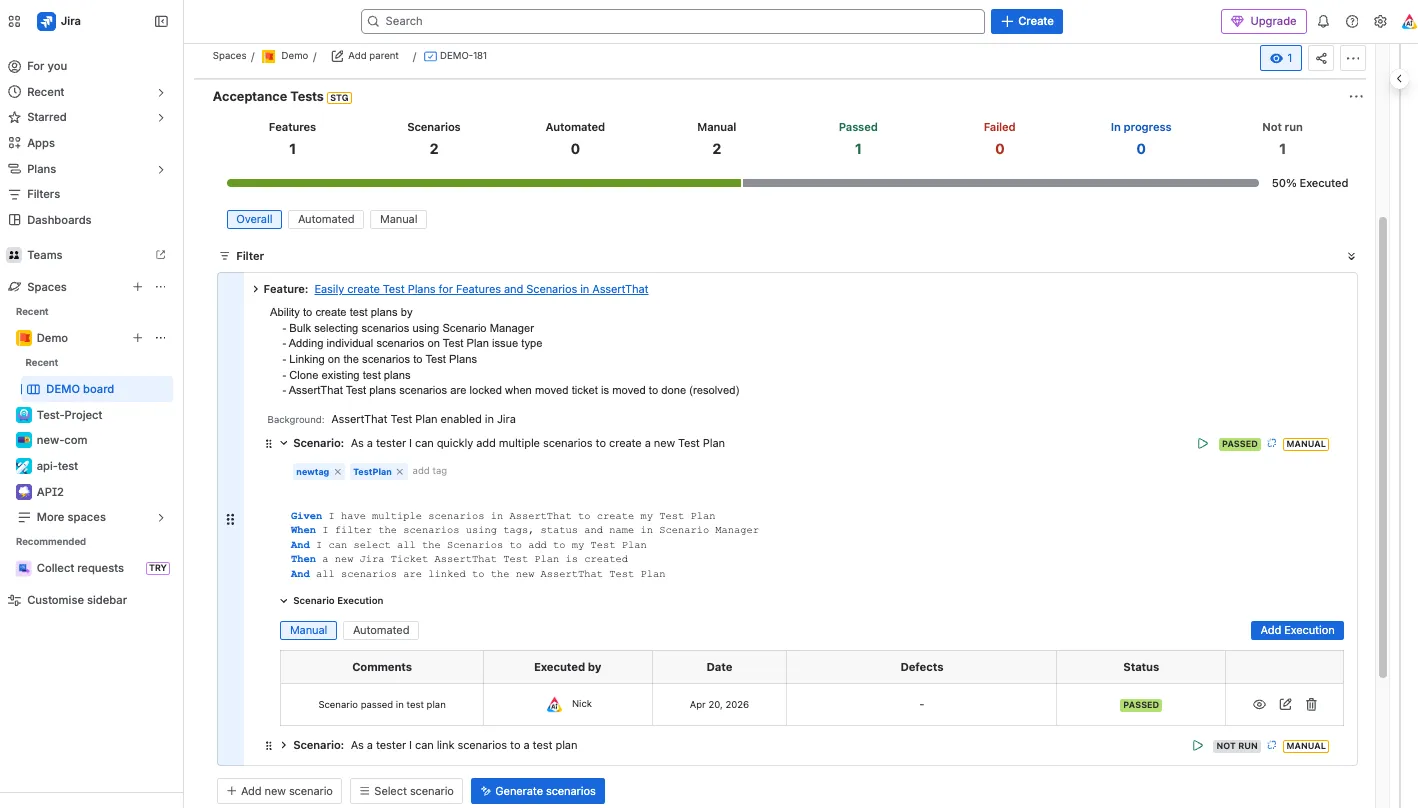
Section titled “Execute Scenarios and moving the AssertThat Test Plan to Done (lock Scenarios)”Step 1: Execute the Manual or Automated scenarios in the “AssertThat Test Plan” by clicking on the execution button and adding comments.
Step 2: Lock the execution status for the scenario by transitioning the ticket to “Done” status (Resolution = Resolved) using your existing workflows and refresh the screen.
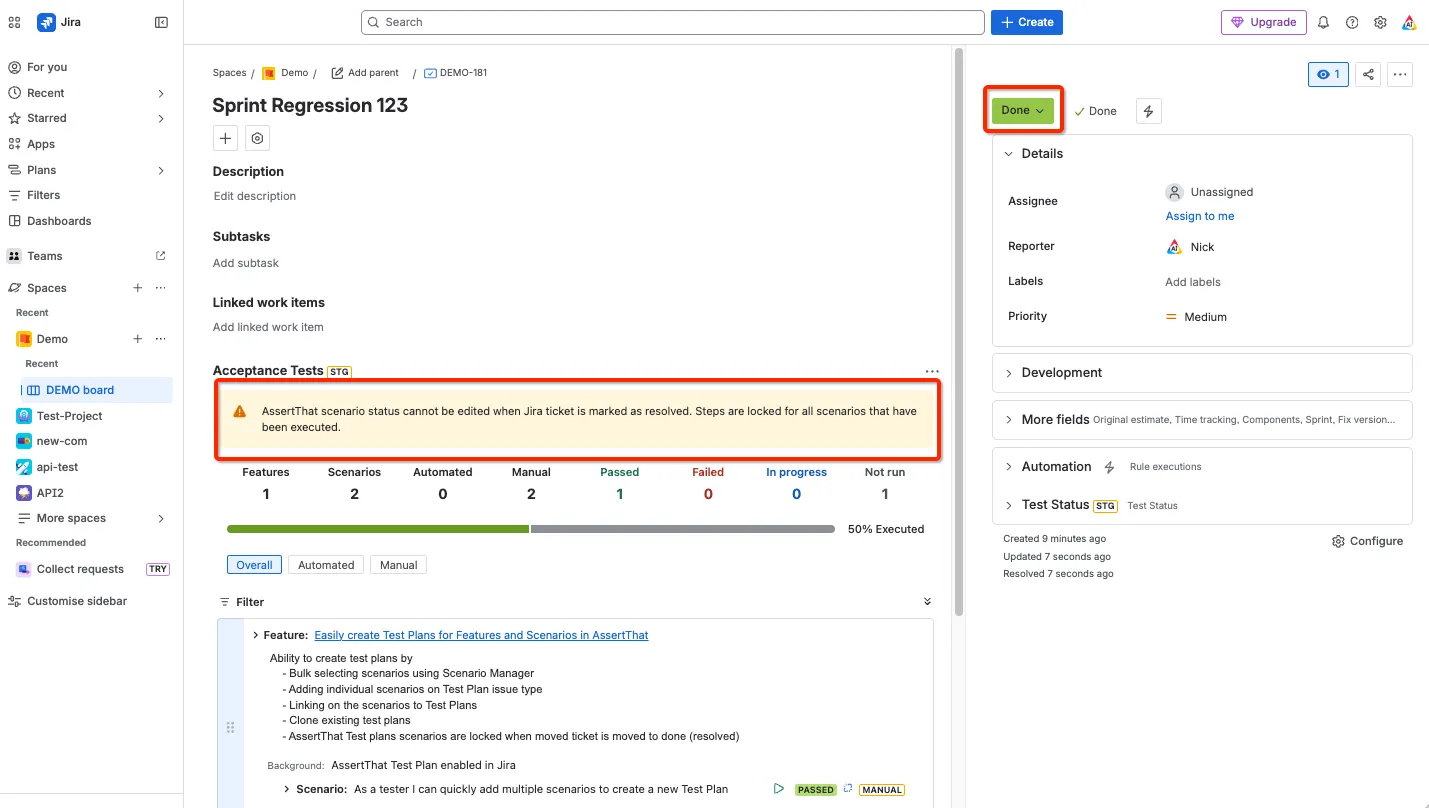
When the Test Plan is moved to a Resolved state:
-
The execution status of a scenario cannot be updated
-
It is not possible to unlink a scenario from the AssertThat Test Plan
-
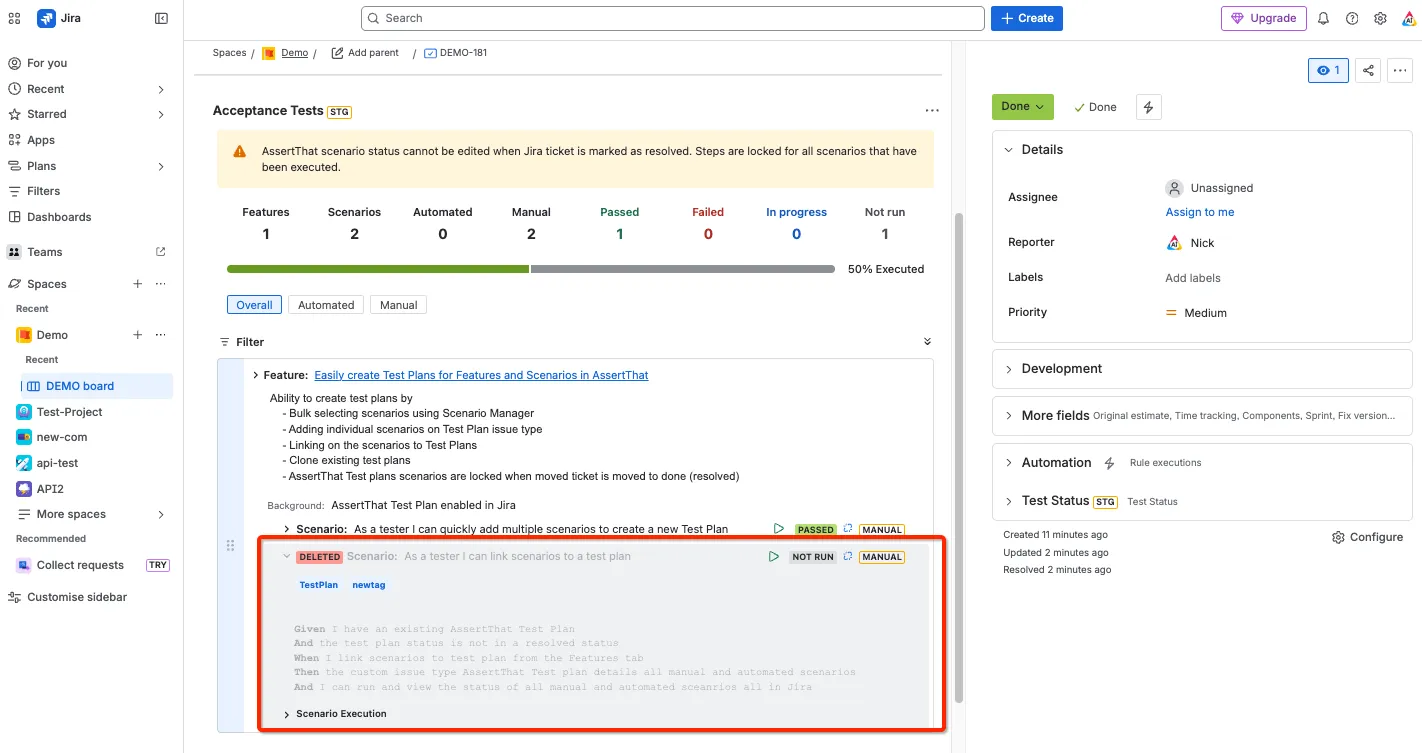
Deleted scenarios can be removed from Features tab however will be highlighted as deleted
-
When you download Features / Scenarios either through AssertThat or via the API, resolved Test Plan issue keys won’t be included as scenario tags.