
Clone and Move Scenarios
From the Features menu it is possible to move and clone Scenarios
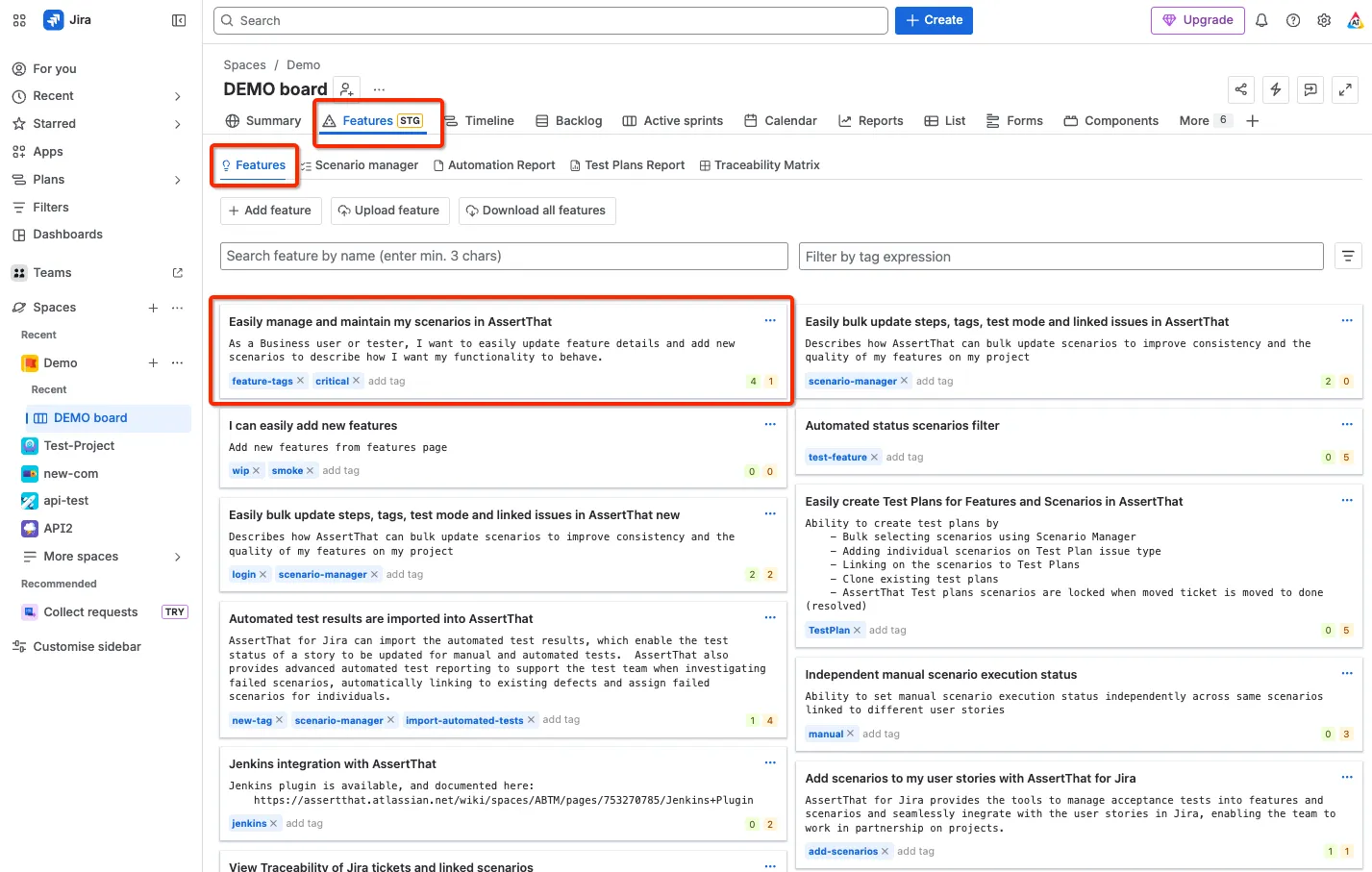
Step 1: Access Features menu
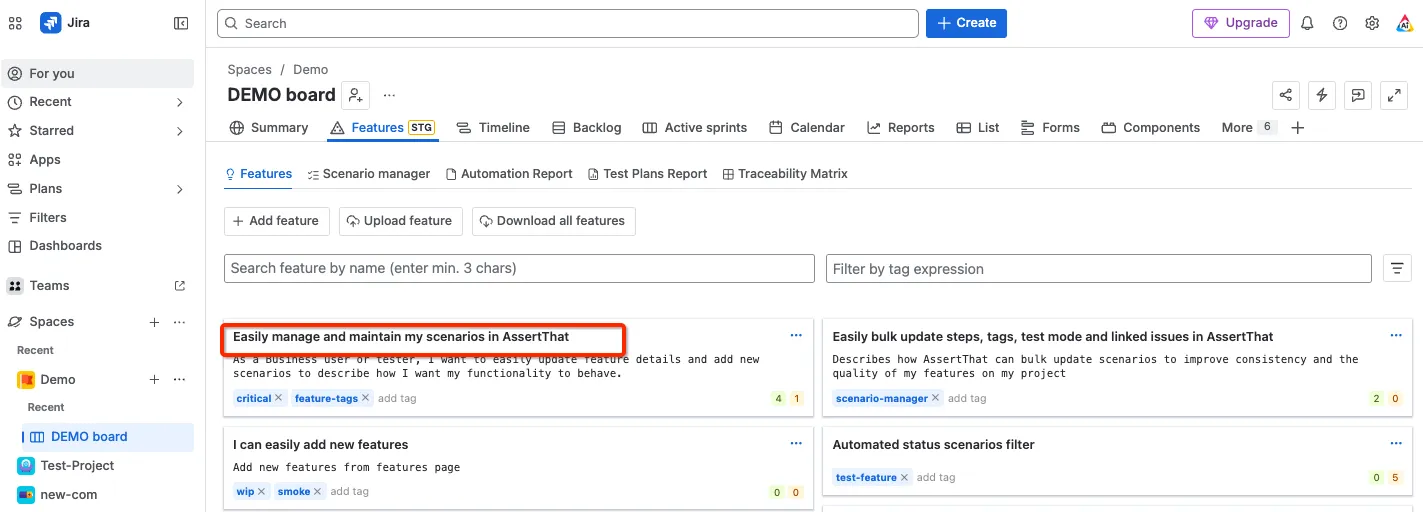
Step 2: Select the Feature by clicking on the Feature title
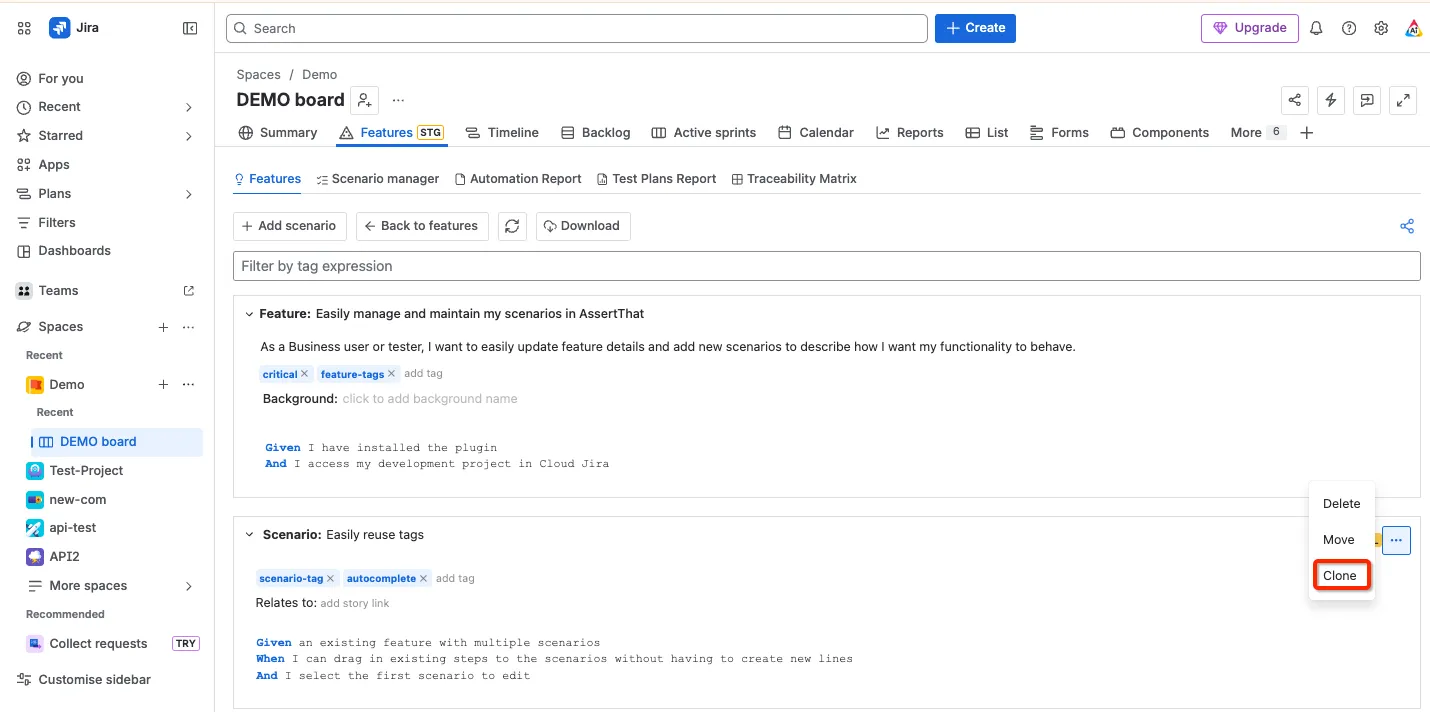
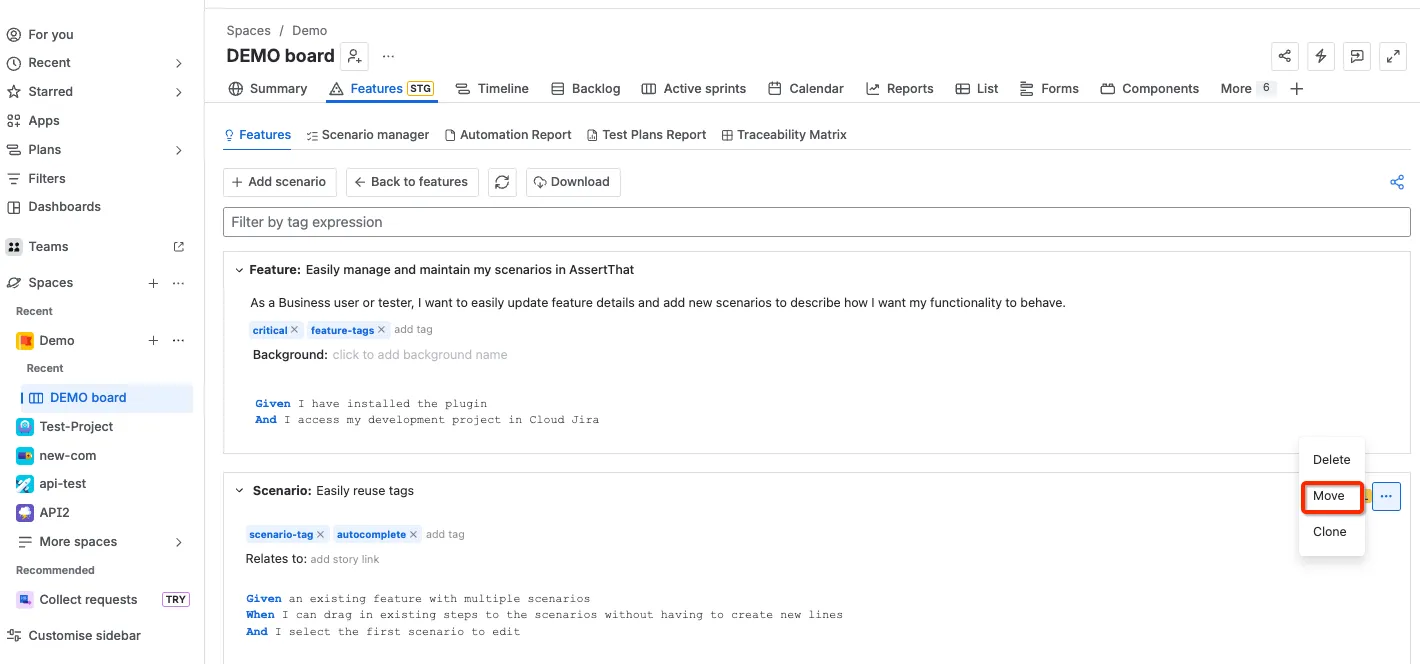
Step 3: Clone Scenario - Select Clone from the drop down. The cloned Scenario will have the text “- Clone” added to the title and the Scenario moved to the end of the feature file.
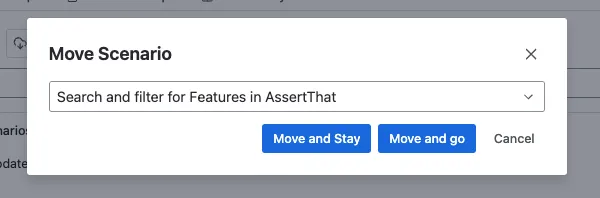
Step 4: Move Scenario - selecting Move will provide a search form to select the new Feature you require the Scenario to be moved to. Enter the first 3 chars of the Feature you want to move to.
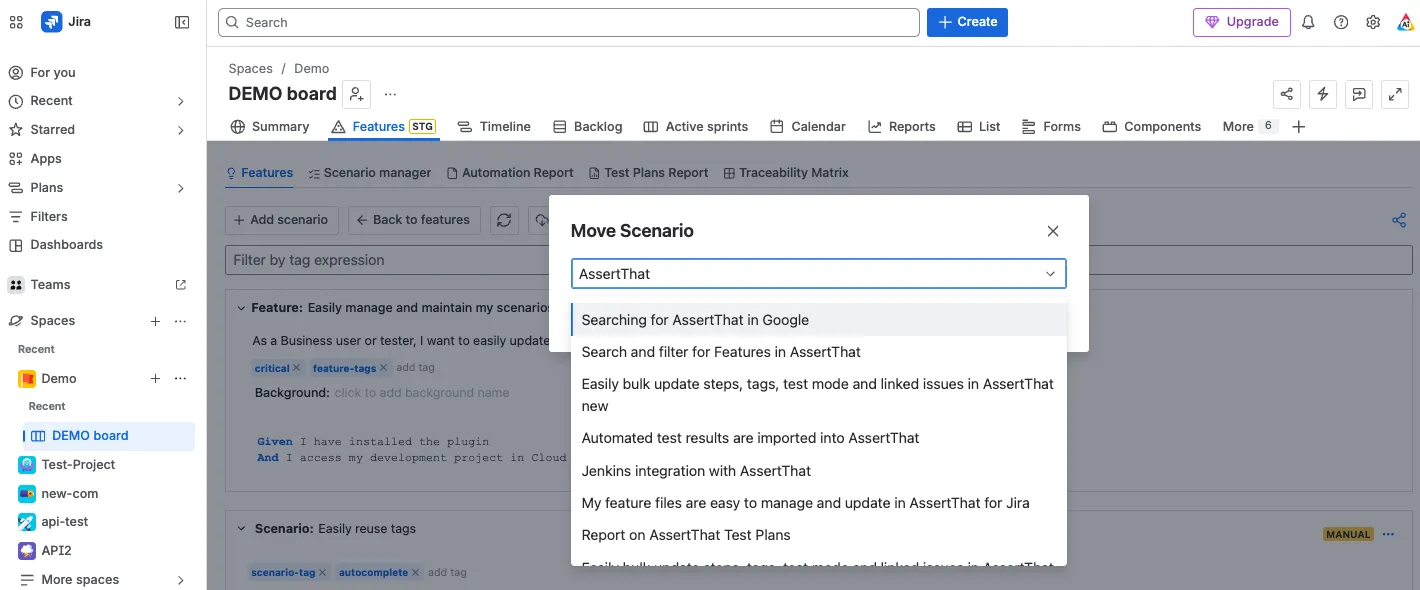
You will also be given the option of staying on the current Scenario or switching to follow the moved scenario.