

AssertThat Autonomous Test Management
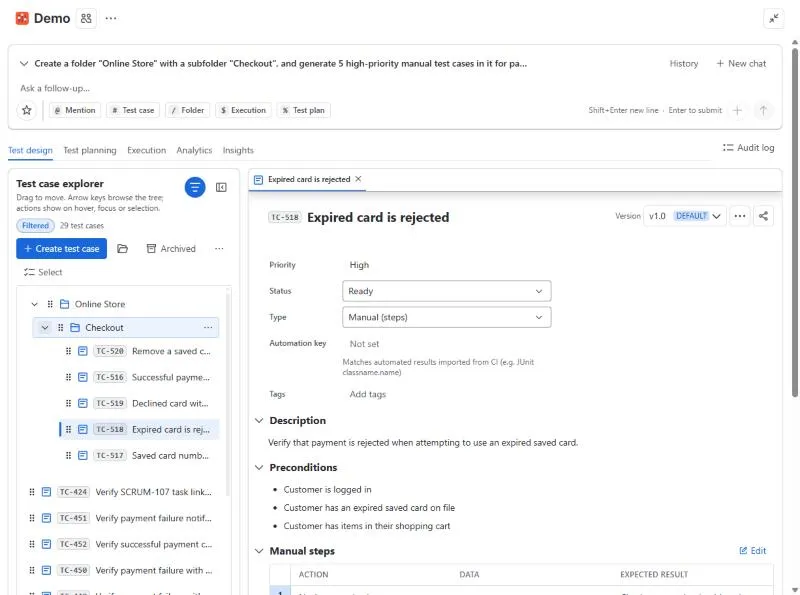
AssertThat Autonomous Test Management is a Jira-native test management app built around AI. You design, plan and run manual, BDD and automated tests in Jira, and an AI assistant can do any of that work for you from a plain-language request. The same features are available in the Jira UI, in Atlassian Rovo and to AI clients over MCP.
If you have not installed the app yet, start a free trial on the Atlassian Marketplace. In Jira the app is labelled AssertThat ATM.
What you can do
Section titled “What you can do”- Design tests in a folder tree: manual steps, BDD (Gherkin) scenarios or free-form charters, with versions, tags, priorities, shared steps, data-driven datasets and links to Jira requirements.
- Plan and run them: group cases into test plans, create executions, record step results with a timer, raise Jira bugs from a failed step and attach evidence.
- Explore without a script in timeboxed exploratory sessions, then turn notes into bugs and test cases.
- Import automated results from JUnit, Cucumber, Playwright, TestNG, NUnit and Robot Framework.
- Report with 19 chart types, a Jira dashboard gadget, a Confluence macro and JQL functions.
- Decide on releases with Insights: release readiness per fix version, coverage gaps, regression risk, duplicate tests and flaky test quarantine.
- Ask the AI assistant to create, organise, run and report on tests. It asks for missing details, then acts.
Start here
Section titled “Start here”- Getting started: install, enable and find the app in Jira
- Test design: folders, test cases and the test case editor
- Test planning: group test cases into plans
- Execution: run tests and record results
- Exploratory testing
- Analytics and reports
- Insights: release readiness, regression risk, duplicates and flaky tests
- AI assistant and the monthly AI allowance
- Jira issue panel and traceability
- Integrations: CI import, Rovo, MCP and the REST API
- Administration: permissions, review workflow, custom fields and statuses, audit log
- FAQ
Get help
Section titled “Get help”We respond to all queries within 24 hours, and typically within 1 hour (Monday to Friday, 8:30am to 5:30pm UK time).
- Email support@assertthat.com
- Join the Slack community
- Raise an issue in the service desk