

Automation Test Run Details
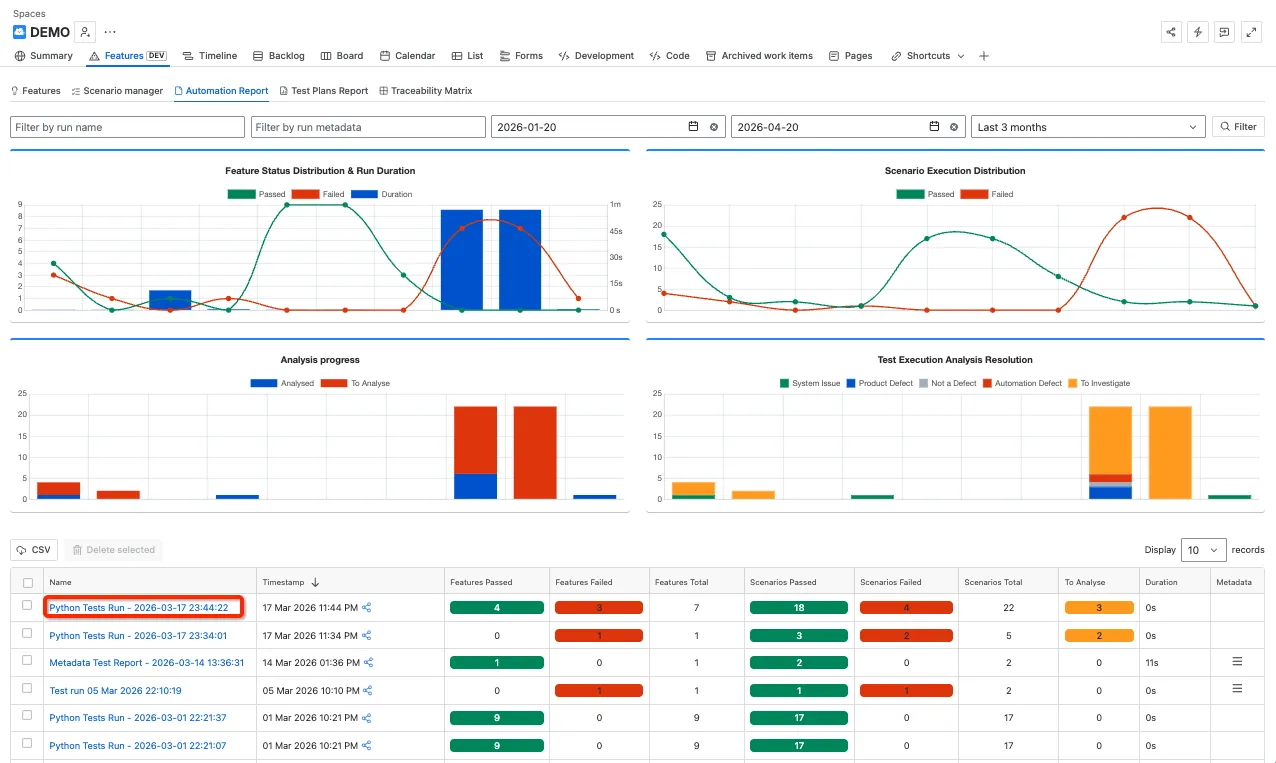
Step 1: The Automation Test Runs details is displayed after clicking on the Test Run name on the Summary page.
Step 2: The Test Run details contains a number of charts to support test run Analysis:
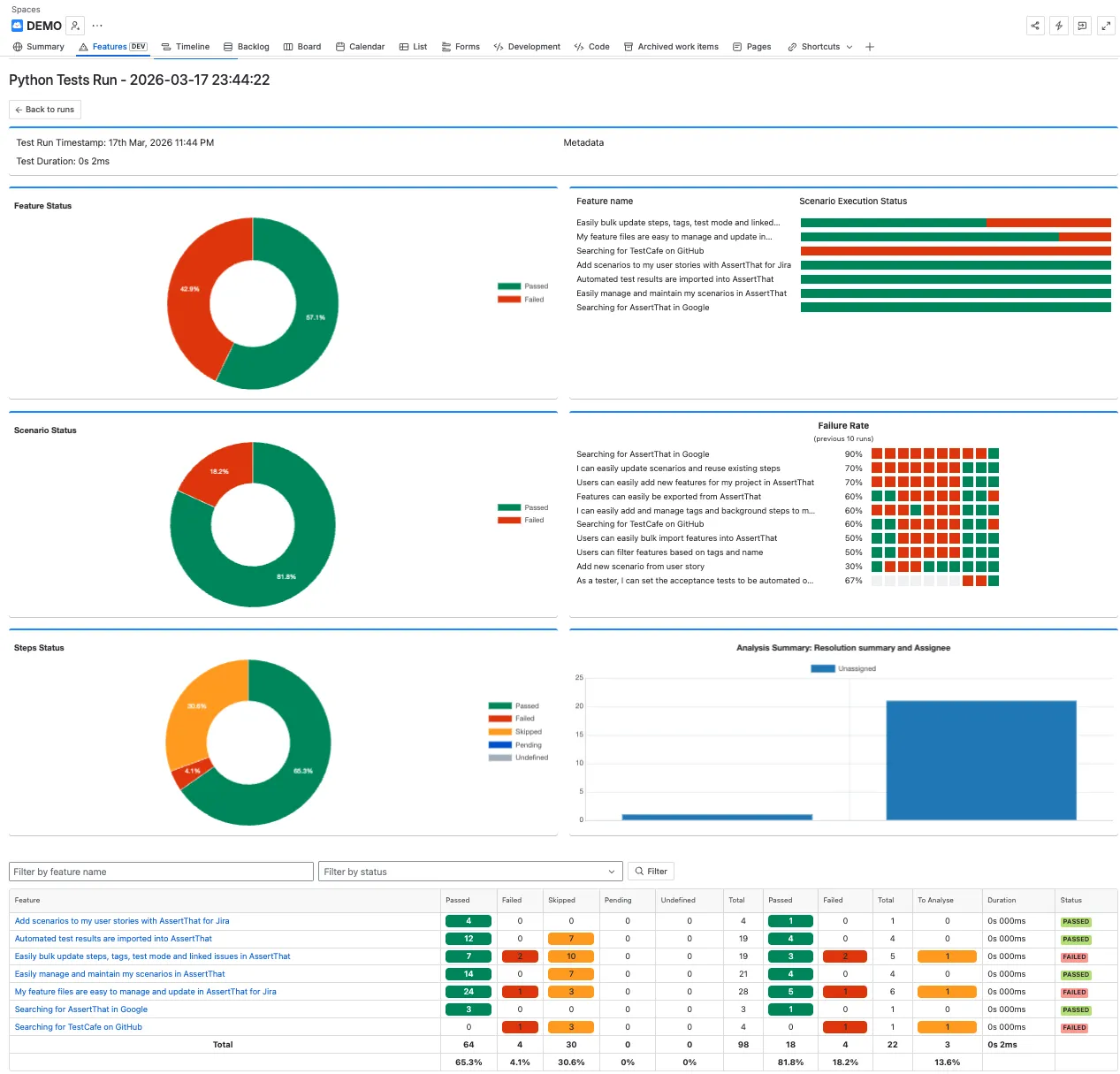
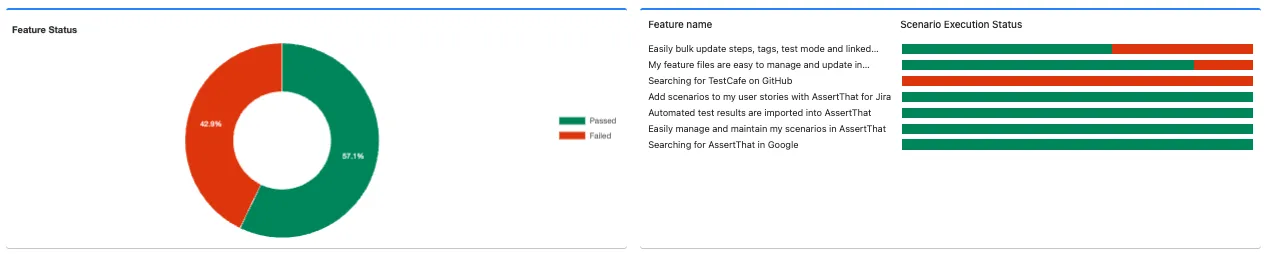
Feature status summary and breakdown details:
Scenario summary and Failure rate. Failure rate details the execution status of the scenarios from the last 10 runs:

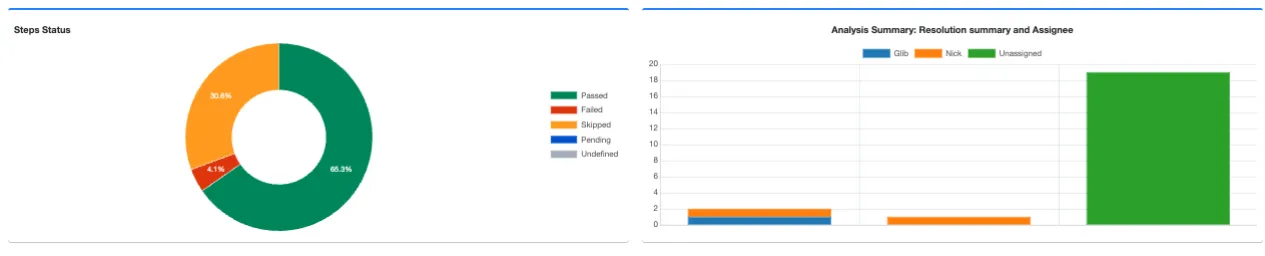
Step Summary status and Analysis Summary. Test Automation failures can be analysed and assigned against specific resolutions to support test automation teams analyse test runs. For more details see Failures Report - Investigate failures from Automated Test Run :
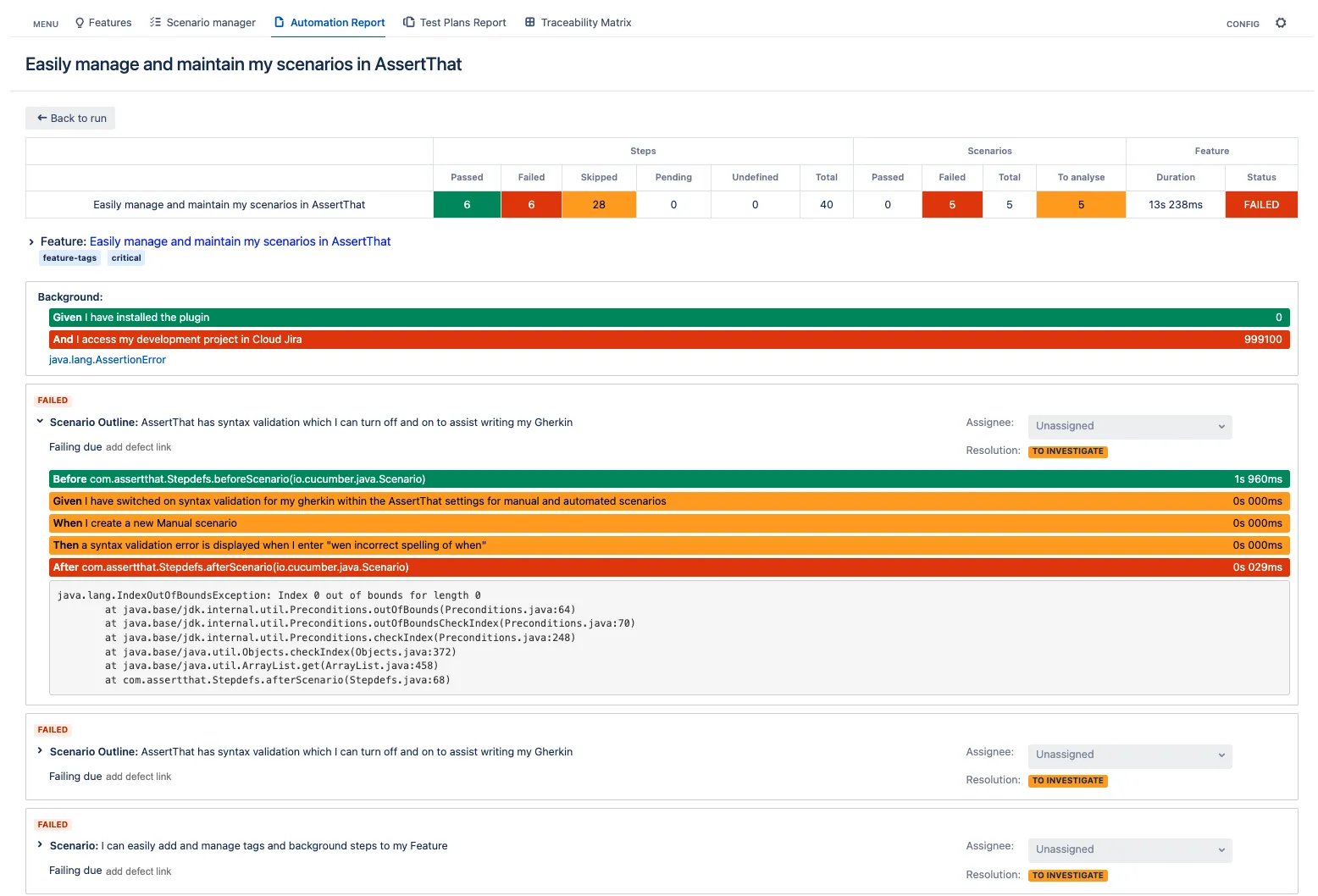
Step 3: Analyse test scenario failures
Step 4: Use the filters to display the Features based on Feature name and status:
