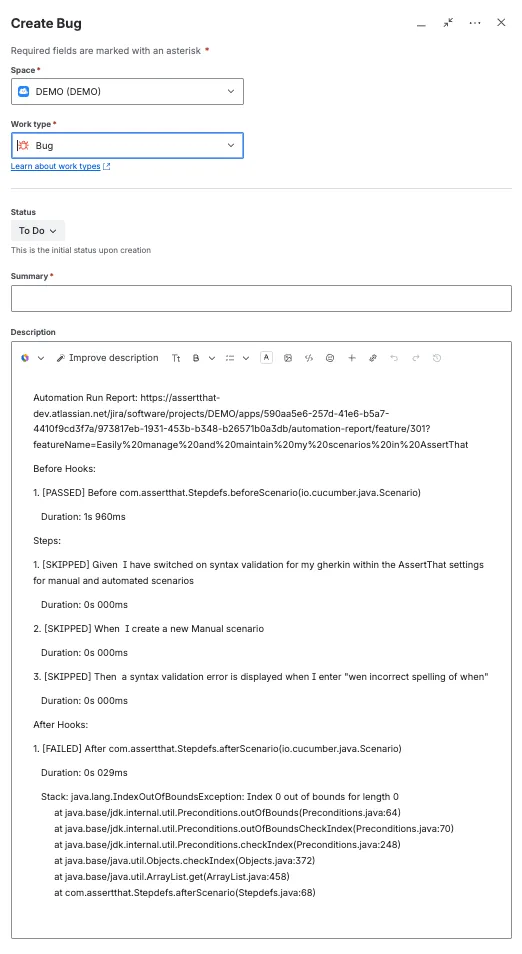

Failures Report - Investigate failures from Automated Test Run
Following the import of Automated test reports, AssertThat - BDD & Cucumber for Jira provides a number of features to assist in the analysis of failed test runs:
-
Automatically link failed test run to defects
-
Fields to allocate failed tests to individuals for investigation
-
Add comments to failed tests in test run reports
Failed tests can be accessed either by going to the failed test report or by viewing all the scenarios in the failed test
Step 1: Access the failed test report by clicking on Failures only, or to view the failures with the passed scenarios click on the features:
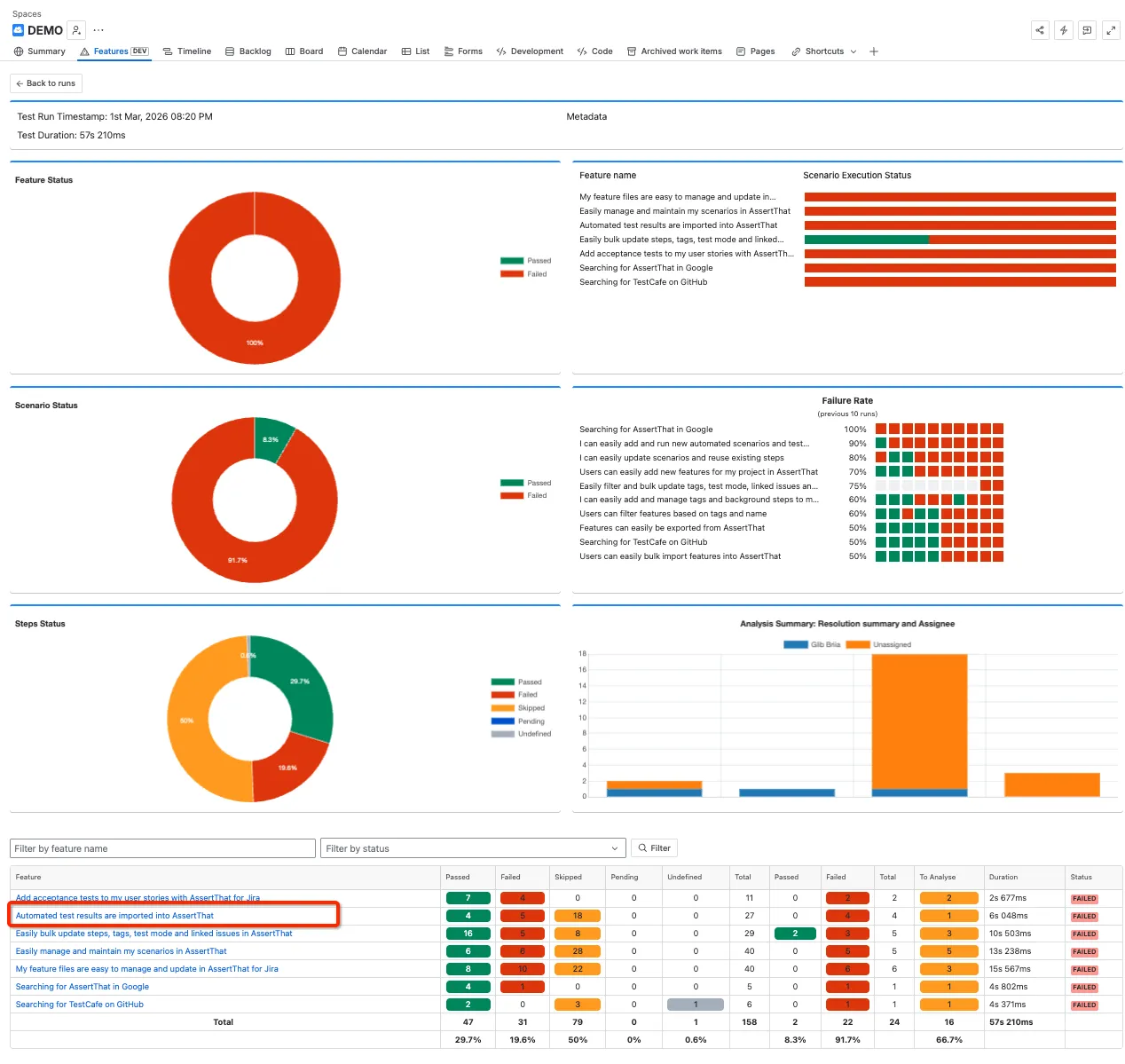
Step 2: Select the Failed Execution for investigation.
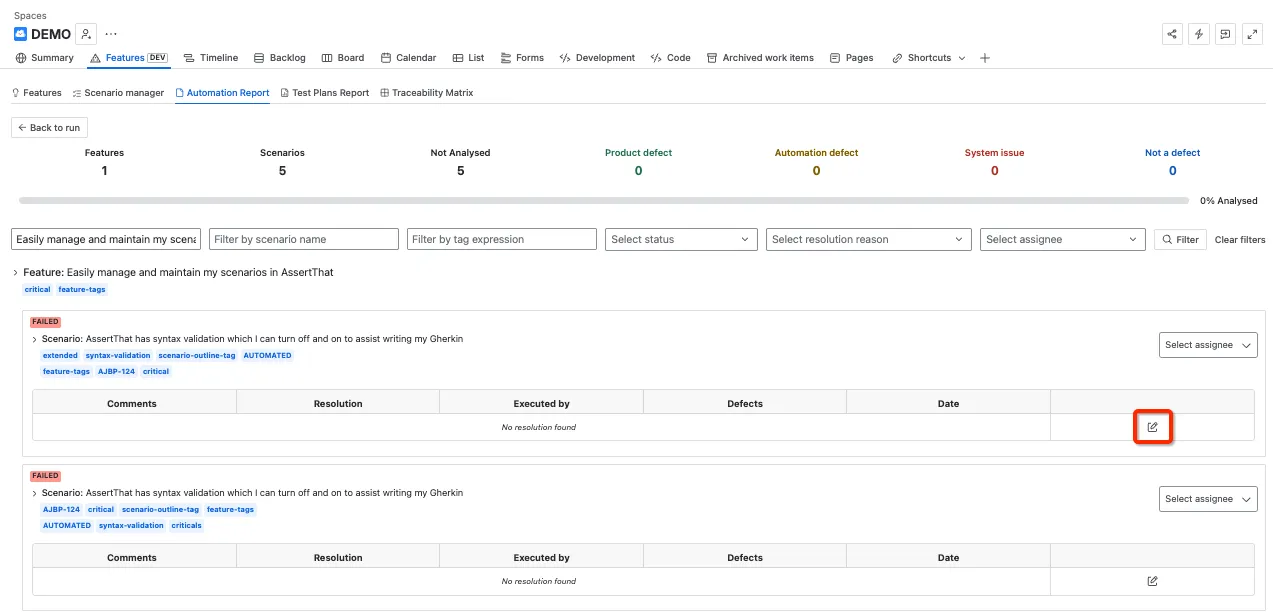
Step 3: Complete the resolution details:
-
Add comments
-
Set resolution type - Product Defect, Automation Defect, System Issue, Not a defect
-
Link to a defect or create a new defect
-
Select Assignee
Click on Submit execution when all details have been entered.
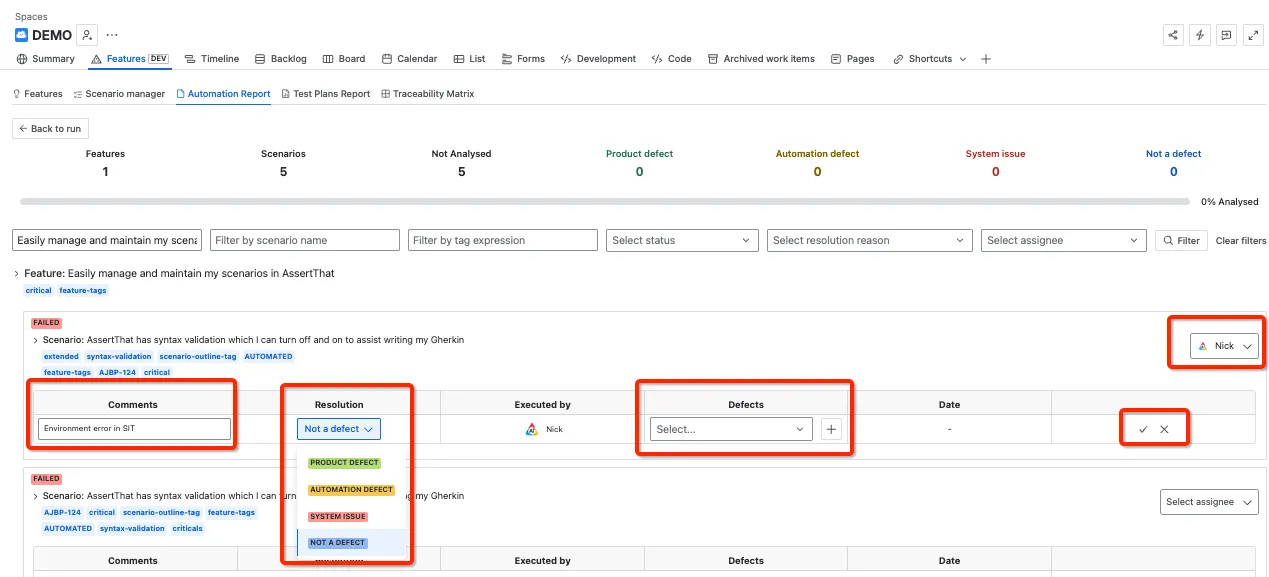
Step 4: Raise new defect
Note that raising a new defect from the error will automatically pull in the error details from the step: