
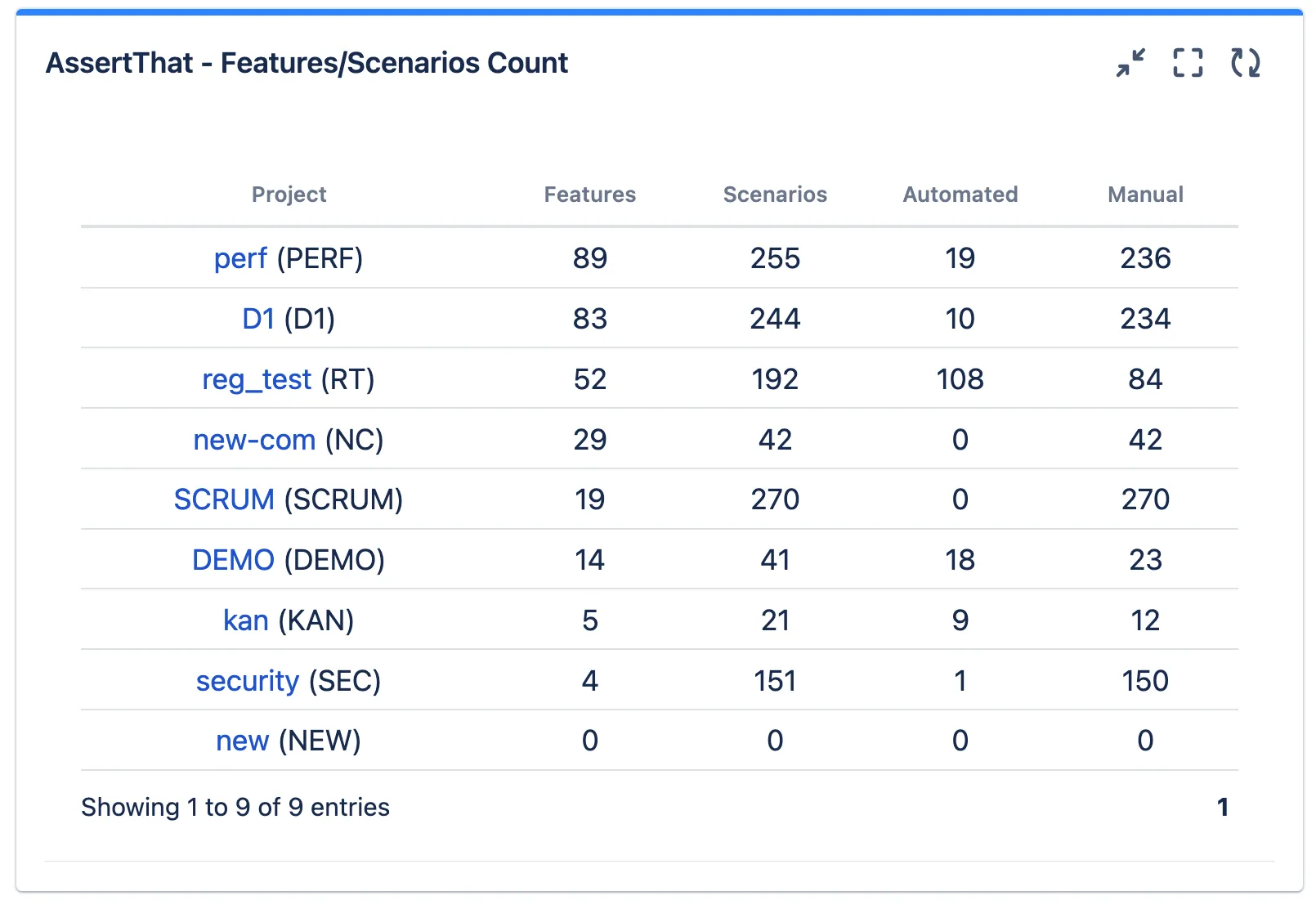
Features / Scenarios Count gadget
The AssertThat Features / Scenarios Count allows teams to view the number of Features and Automated / Manual Scenarios across multiple projects.
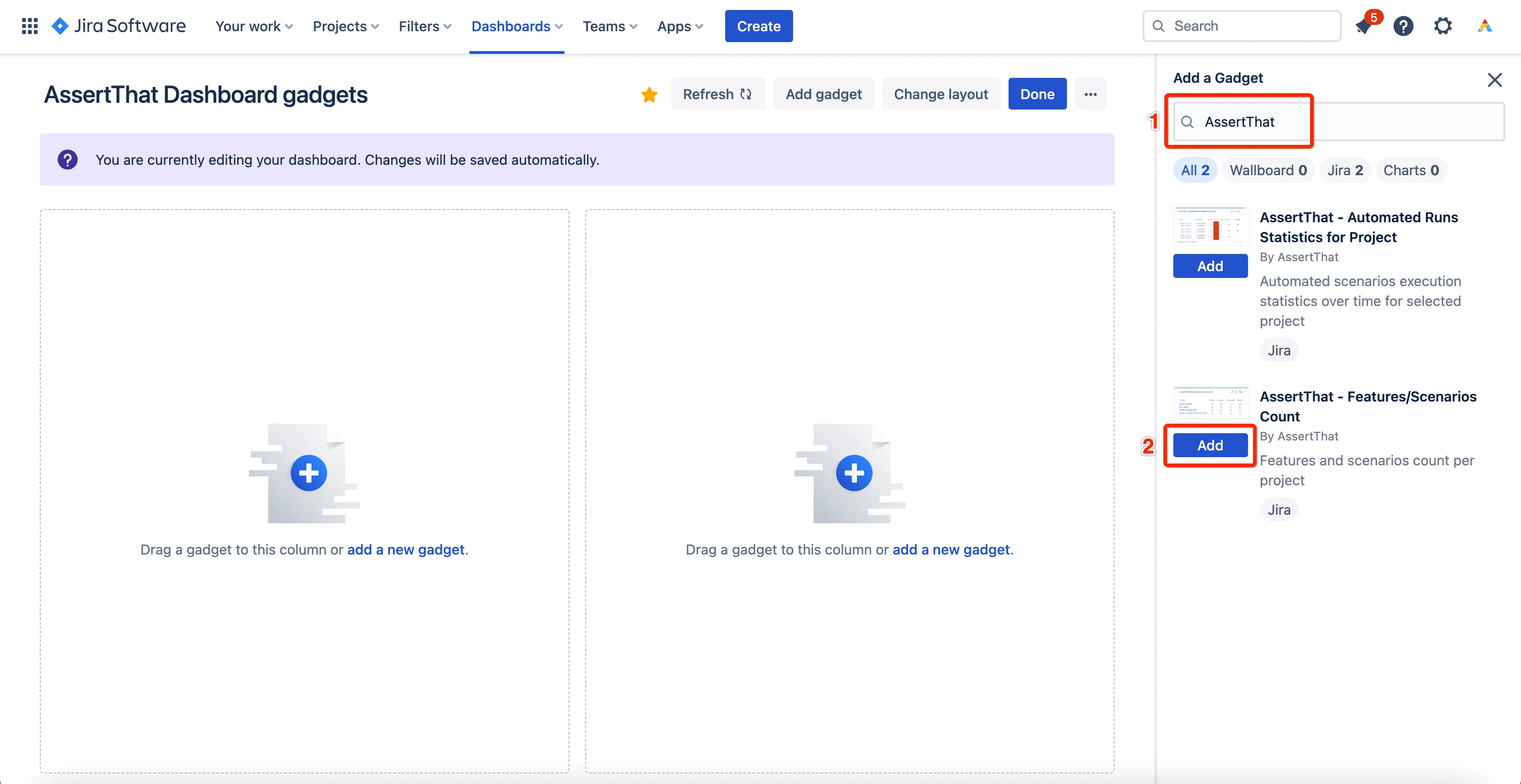
Instructions to add the gadget to an existing dashboard
Section titled “Instructions to add the gadget to an existing dashboard”-
From your dashboard select Edit and search for AssertThat under available gadgets. Then select Add next to “AssertThat - Features / Scenarios Count”:
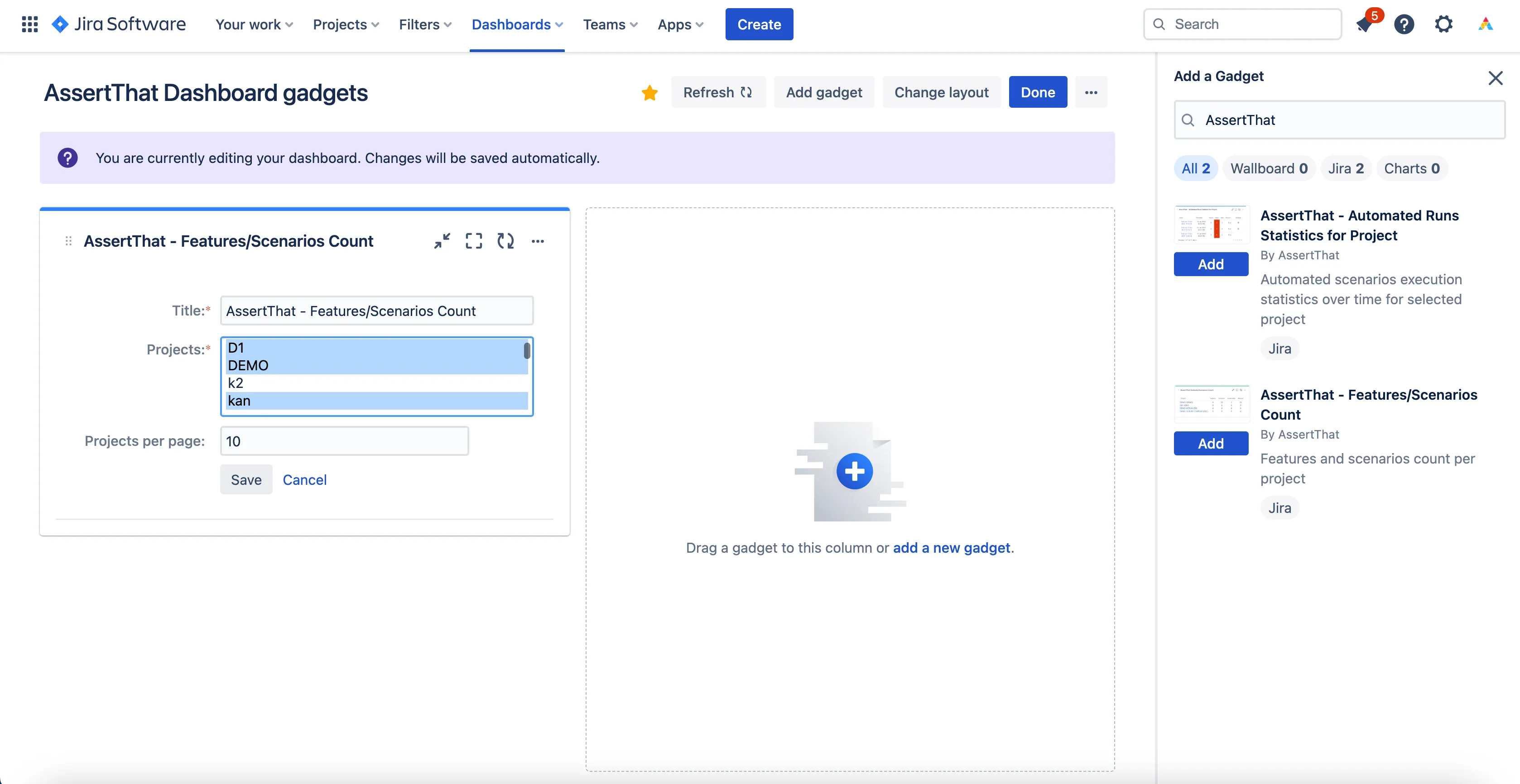
2. Update the report title and from the available “Projects” select all projects that you would like to include in the report.
-
For Mac users hold down the Command button to multi-select projects.
-
For Windows users hold down the Control button to multi-select projects.
Finally, update the number of projects to be displayed per page and click on Save
Note: The project list will only display projects to which the user has access and where AssertThat is enabled through Project Settings → AssertThat configuration → Enable
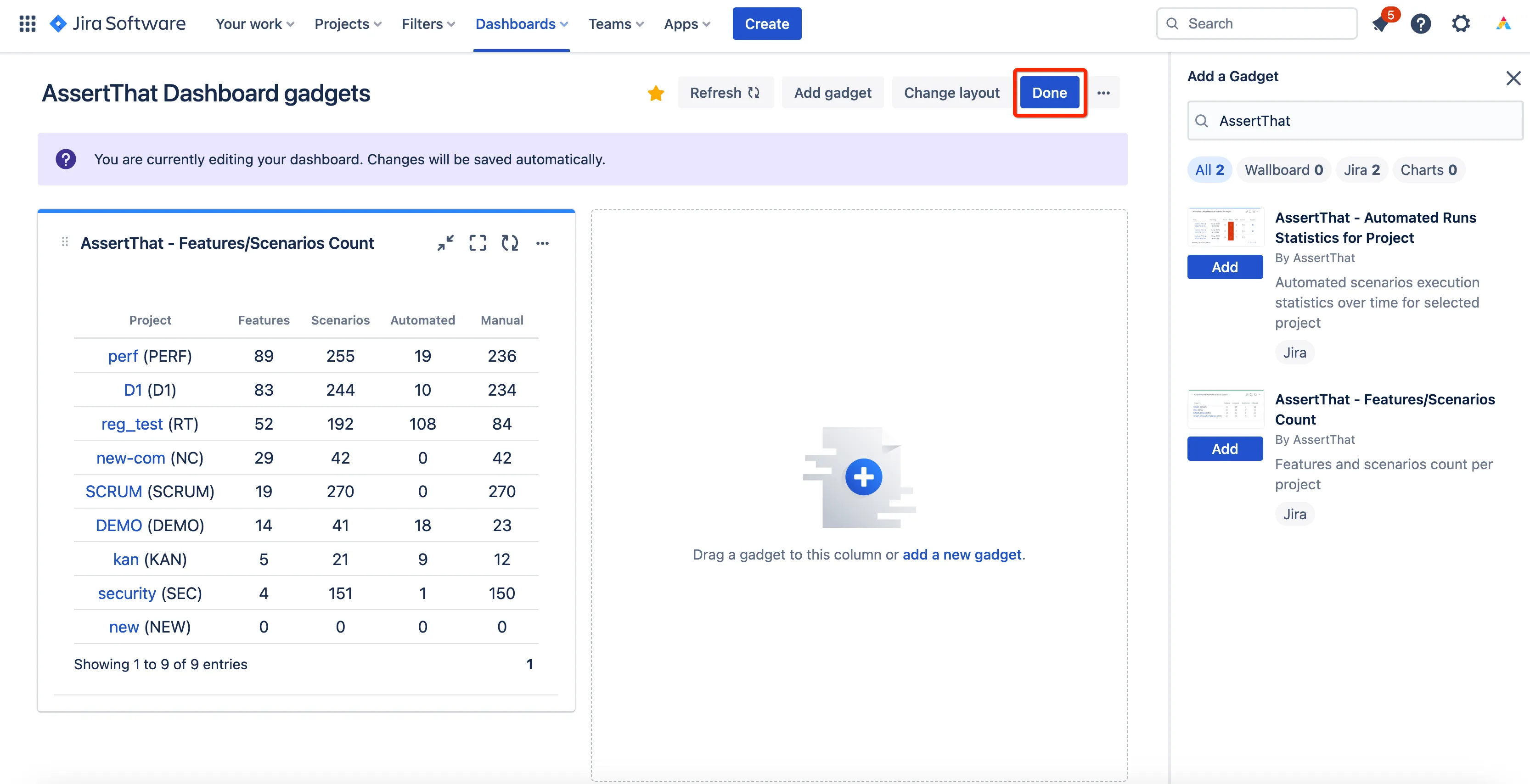
3. When you have completed changes to your Dashboard click on Done.