
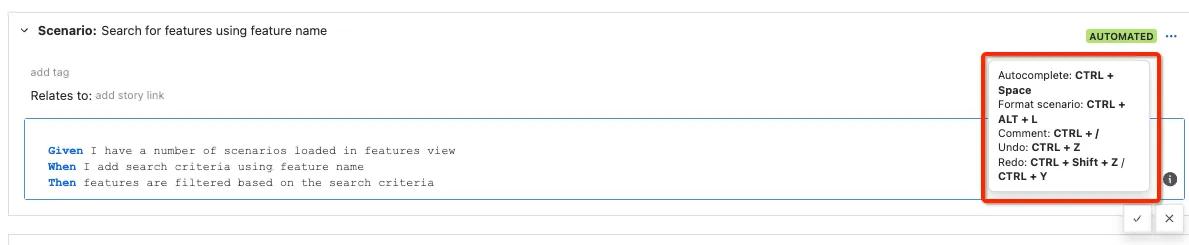
Hot Keys - Shortcuts for autocomplete, formatting and comments
AssertThat has a number of inbuilt pieces of functionality to enable your team to quickly add new scenarios, reuse steps and format scenarios. These features will save your team time and ensure the scenarios are correctly formatted making them easier to review.
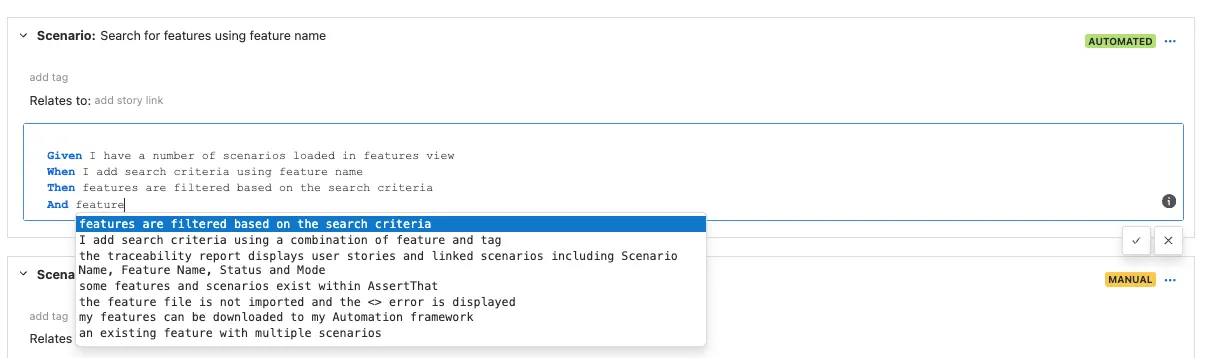
Step Autocomplete
Section titled “Step Autocomplete”Step autocomplete automatically suggests steps when you have entered 3 charactures following the gherkin keyword.
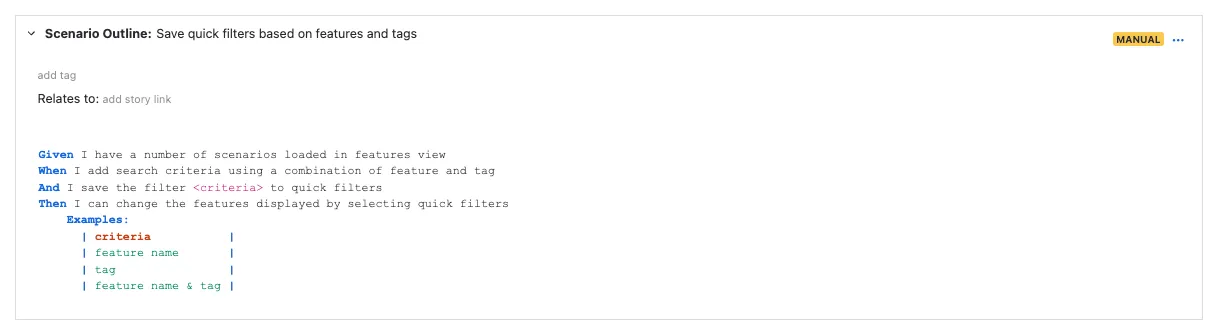
Format Scenario - CTRL+ALT+L
Section titled “Format Scenario - CTRL+ALT+L”CTRL+ALT+L auto formats your Gherkin scenarios for Windows.
CTRL+OPT+L for Mac
All screens where gherkin syntax is used (Given, When, Then)
-
simply press CTRL+ALT+L to format (Control+Option+L on Mac)
-
scenario steps
-
Examples table
-
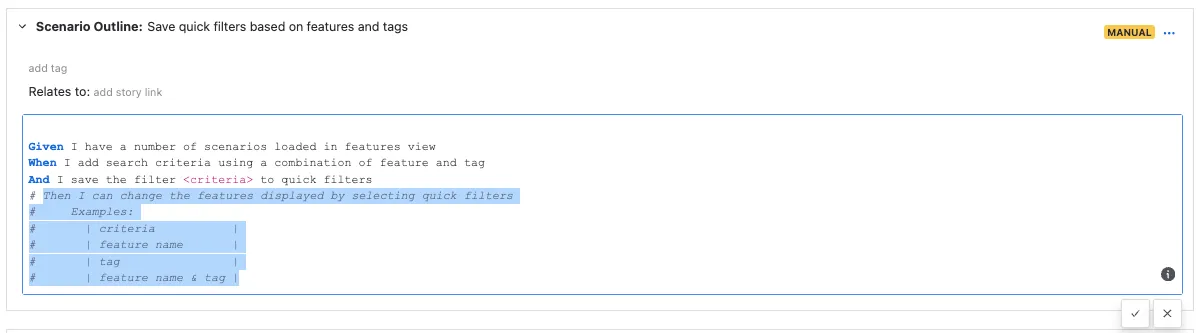
Add Comments - Ctrl+/
Section titled “Add Comments - Ctrl+/”CTRl+/ comments outlines in your gherkin scenarios (For Windows and Mac)