
Bulk updating Features, Scenarios, and Steps with Scenario Manager
Scenario Manager has 2 core capabilities
-
Bulk update steps, tags, mode (automated or manual), and linked issues.
-
Bulk link scenarios to AssertThat Test Plans
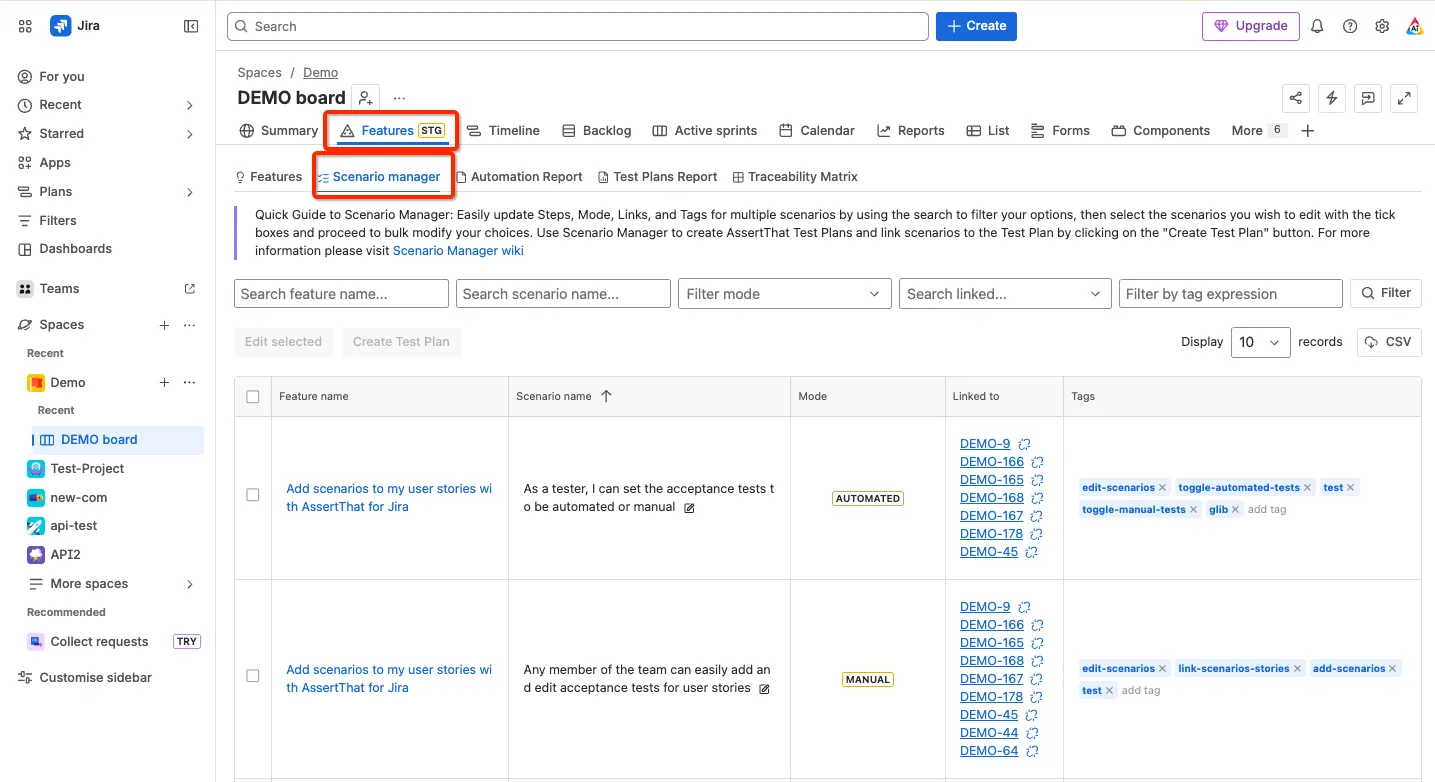
Step 1 - Scenario manager is accessed from the Feature page in AssertThat BDD, Cucumber & Test Management for Jira
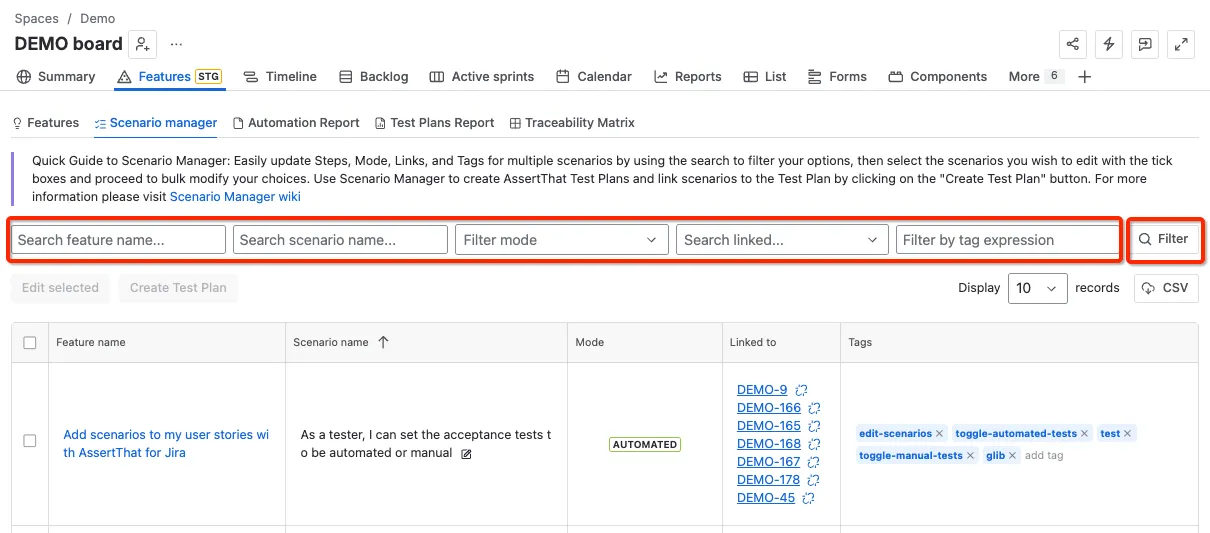
Step 2: Filter by Feature name, Scenario name, Mode, Linked to or tags on the Scenario Manager screen. Click on the “Filter” button to refresh the scenarios list. Note the tags used for filtering can be either Scenario or Feature tags and advanced filter conditions can be used Use advanced search with Cucumber tag expressions in Features
Tip - search using advanced Cucumber expressions is resource intensive so may take longer to return than using simple tag filters.
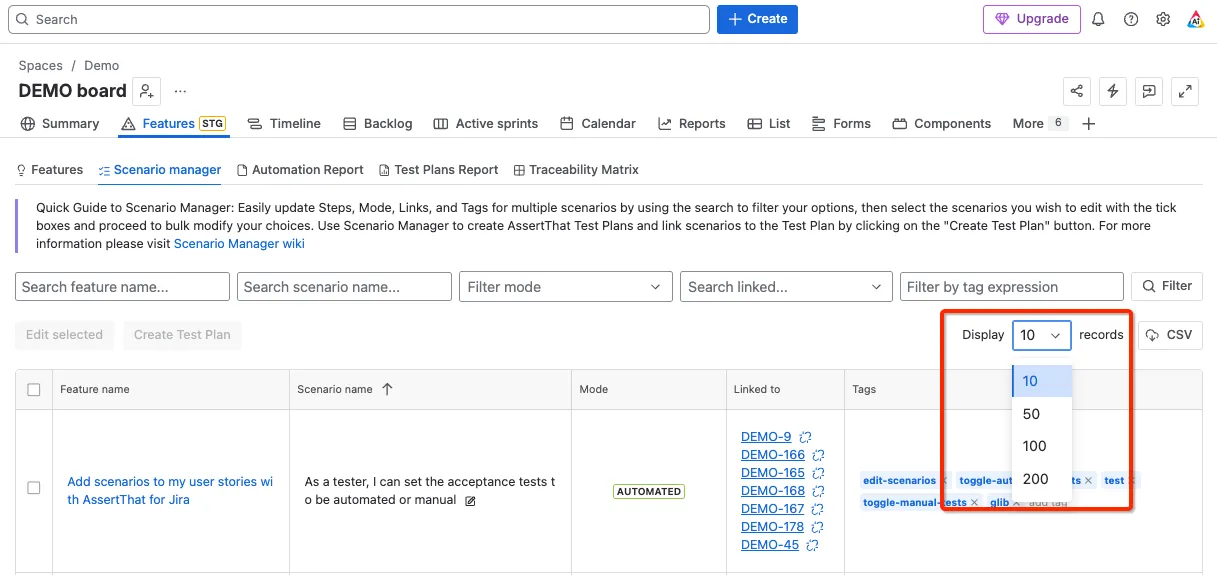
Step 3: Adjust the display records field if the filter covers multiple pages.
Step 4: Select the scenarios for updating, either by selecting all scenarios or individual scenarios, and then select Edit Selected
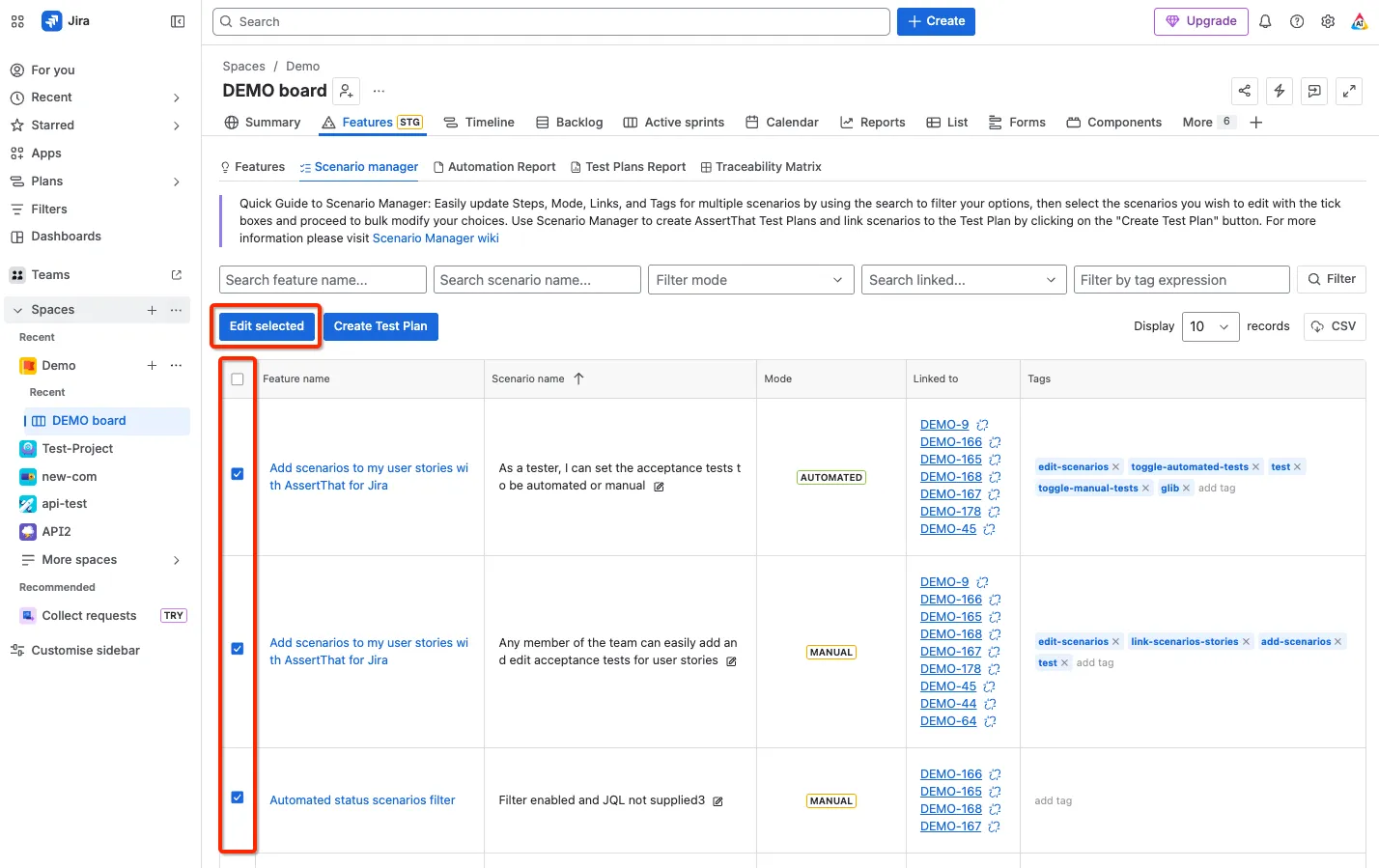
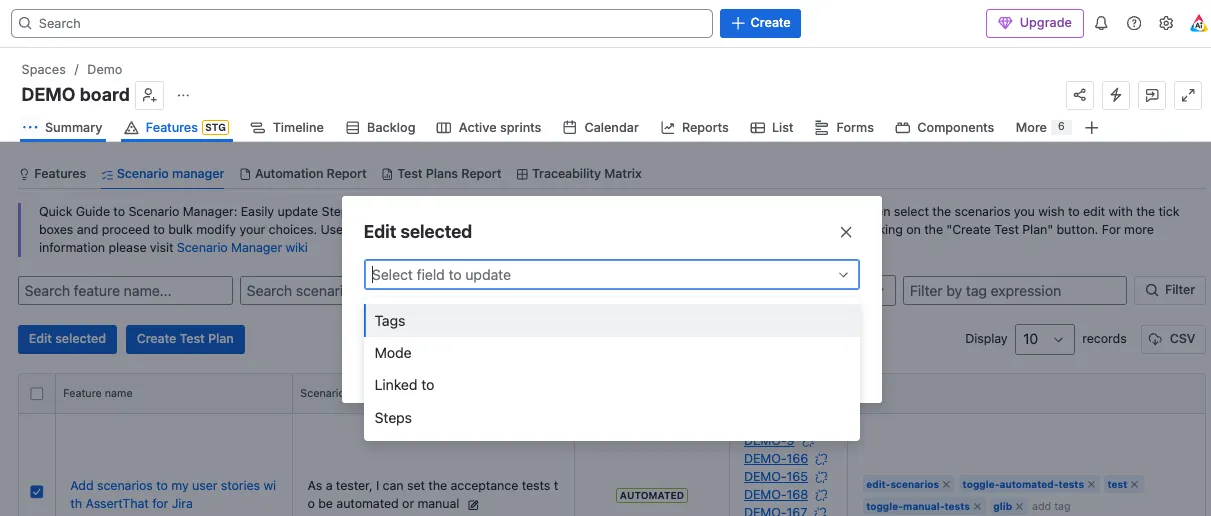
Step 5: Select the item to scenarios
-
Tags - Add or Delete tags from multiple steps
-
Mode - Bulk change scenarios between Manual and Automated
-
Linked to - Add or Delete linked defects or issues to multiple scenarios
-
Steps - Find and replace steps